Agent Skills
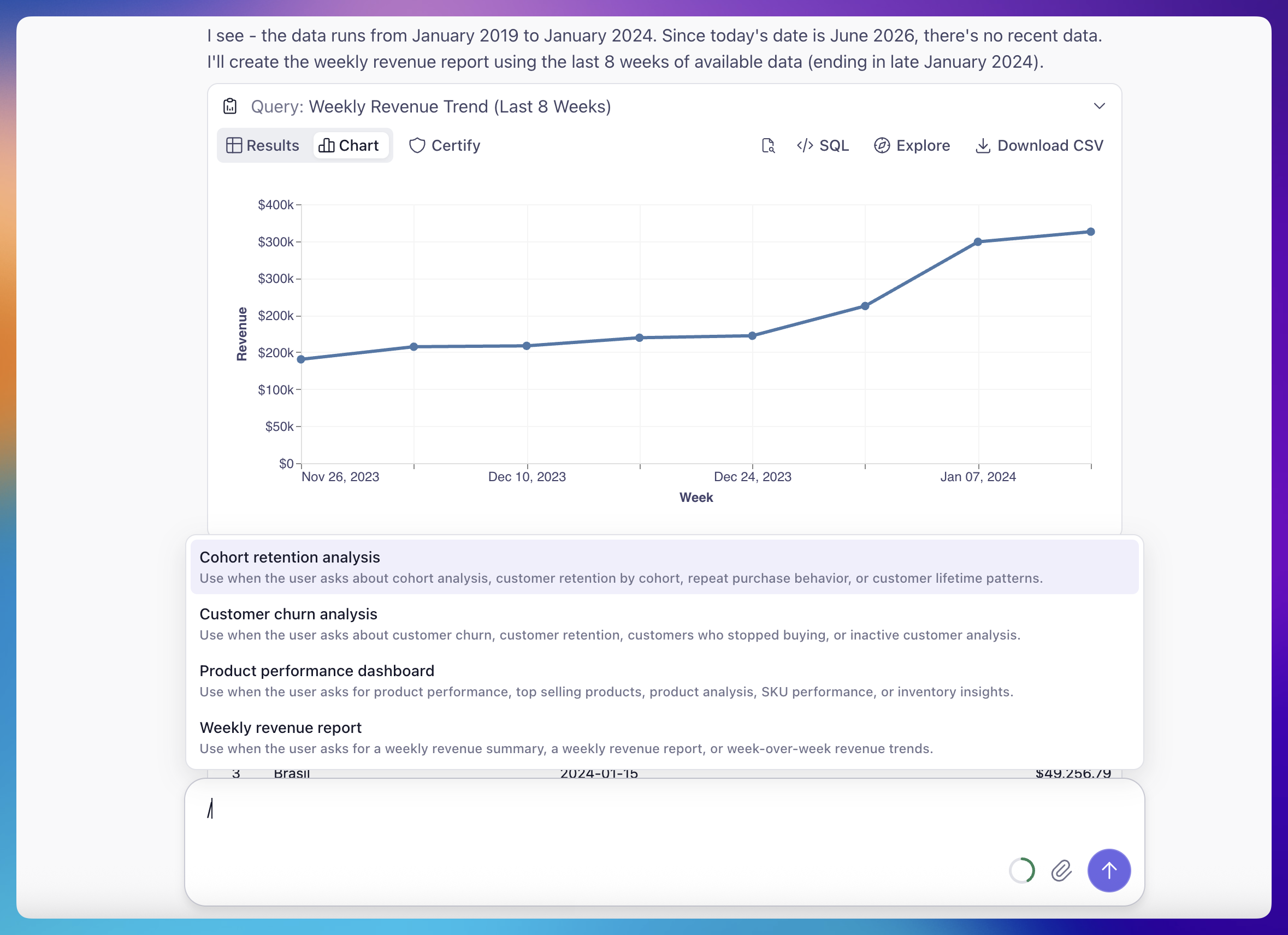
Agent Skills let teams capture repetitive analytical workflows as reusable, named procedures that the agent runs consistently every time — across Analytics Chat, Workbooks, and Dashboards. Instead of re-explaining the same multi-step analysis each time, you define it once and the whole team runs it the same way.
There are three ways to invoke a skill: click its button in chat, type / for a slash menu filtered by title and description, or just ask in plain language and the agent matches your request to the right skill and runs it. Once you've picked one, you can refine it inline — "for EMEA, last 6 weeks" — and the agent adjusts the run accordingly.
Skills are authored as plain Markdown files in your project's agents/skills/ directory: frontmatter plus plain-language steps, no special syntax. Running a skill is available to Explorer and Viewer roles; authoring one requires data-model edit permissions. Read the full story in Introducing Cube Agent Skills.
Other improvements and fixes:
Workbooks
- Stop and cancel running queries from Explore and Workbooks
- Disable auto-run in Explore and Workbooks
- Reworked the Table chart's Fields tab — separate visibility and labeling controls, plus a 2×2 pivot grid (columns/rows/values)
- Rename a Workbook by double-clicking its title
- Fixed: the semantic view picker in Explore re-opening the previous view instead of the one just selected
Dashboards
- Filters fall back to an unfiltered query when a filter doesn't apply to a widget
- Dashboards now remember your layout compaction setting
Administration
- CSV export on the billing Statements tab
- Refreshed the deployment Resources logs view
- Per-deployment cloud storage now supports Google Cloud Storage and Azure Blob Storage over OIDC
AI
- The Dashboard Agent can now change filters and time granularity
- Attach a dashboard chart to the Dashboard Agent as follow-up context
Embed
- Fixed a 404 when opening an admin-published dashboard shared with all embed users in Creator Mode
- Item owners are now hidden in embed Creator Mode
Integrations
- The Google Sheets and Excel add-ons now match Explore formatting for column and row totals (bold totals values)
- Added a "Loading data…" marker in the sheet while a query runs
Modeling
- The Merge button appears immediately after you commit on a branch
- Developers can override the global security context when testing queries
API
- Public REST API for notifications
- Public API endpoints for managing folder contents
Workspace
- Newly created Workbooks now sort to the top of "Last Viewed"