Today we are introducing Cube Agent Skills.
When we shipped Cube Agentic Analytics, the bet was that the semantic layer could be the system of record for AI—every answer grounded in the measures, dimensions, joins, and access policies your team already defined. That works well for a one-off question. But the most valuable analysis in any company isn't a one-off. It's the report someone produces every Monday, the audit a data team runs the same way every quarter, the multi-step routine that lives in one person's head and gets re-typed as a long prompt every single time.
Skills are how you stop re-deriving that work. A skill captures a multi-step analytical workflow once, gives it a name, and lets anyone on the deployment run it—and get the same vetted result the author intended.
A skill is markdown in your data model
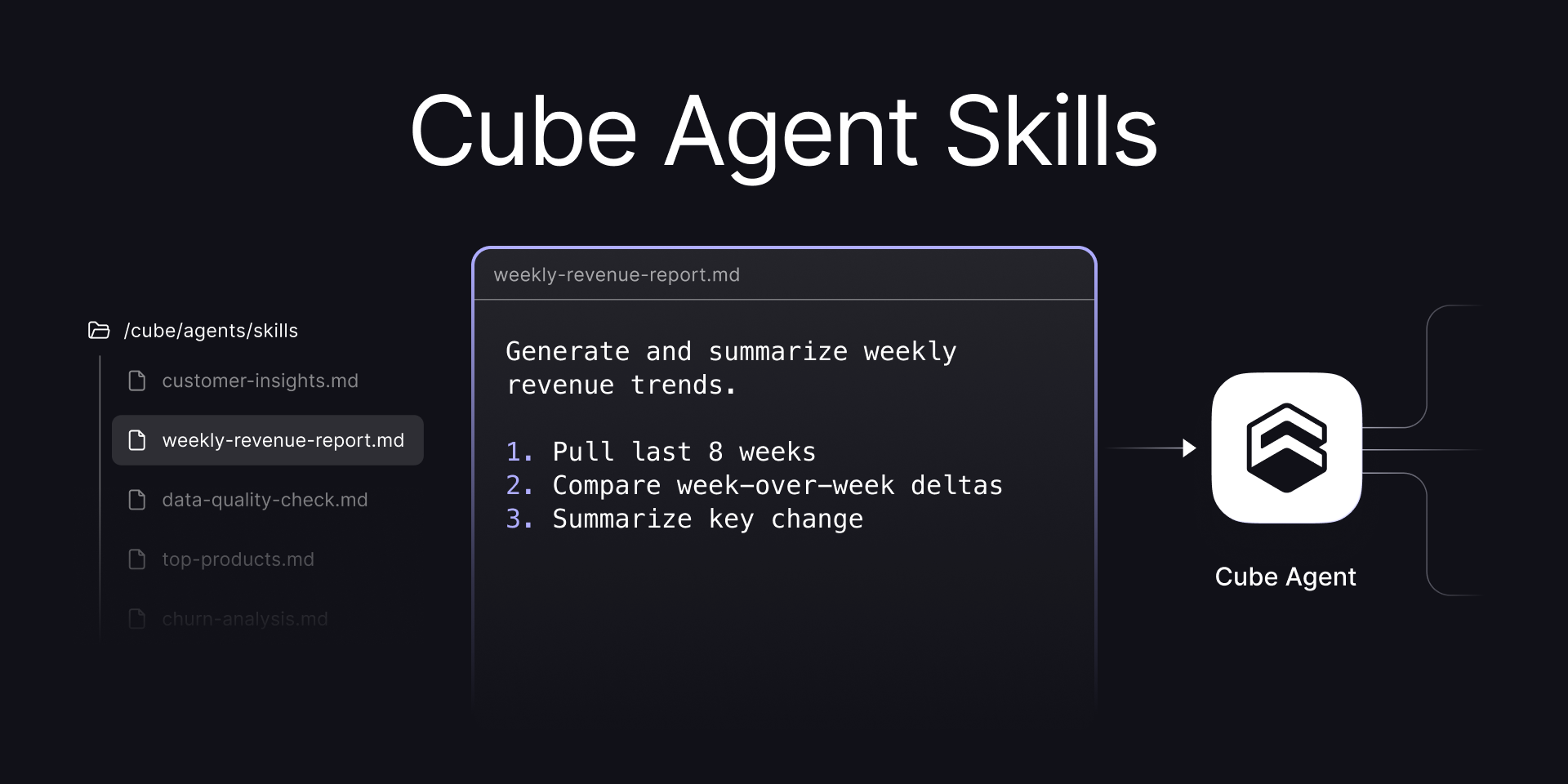
The thing I like most about how this shipped is that there's nothing new to learn about where skills live. A skill is a markdown file in your Cube project, under agents/skills/, right next to the rules and certified queries you already manage as code. The frontmatter carries the metadata; the body is the instructions the agent follows.
titleis the user-facing label—the button text in chat.descriptionis what the agent matches a free-text request against when it decides to run a skill on its own.
The skill's name comes from the filename, so weekly-revenue-report.md becomes the weekly-revenue-report skill. You author it in the IDE, commit it, and ship it through the same dev-branch-to-master flow as everything else in your project. A skill on a dev branch is testable before it ever reaches production, and it inherits the governance you already have: code review, access policies, version history.
This is the part that's specific to Cube. A skill isn't an object you create in a separate admin UI and hope someone documented. It's data-model-as-code—reviewed, versioned, and deployed with the rest of the semantic layer.
A few more skills
The weekly report is the obvious first skill, but because a skill is just instructions, almost any routine your team re-runs by hand can become one. You can run a skill from anywhere you work with the agent—Analytics Chat, a Workbook, the IDE—and what it produces is whatever its instructions describe: an analysis, a saved dashboard, even a change to the model itself.
A churn analysis pins down the definition of "churned" so every run returns the same cohort:
The output doesn't have to be a chat answer—a skill can assemble and save a whole dashboard:
And a skill can change the data model itself—this one captures how your team adds to it, so a new metric lands defined, tested, and reviewed the same way every time:
Three ways to run one
A skill is only useful if people actually reach it, so we surfaced them in the three places a request tends to start:
- Buttons. The chat empty state shows one button per skill, labeled with its
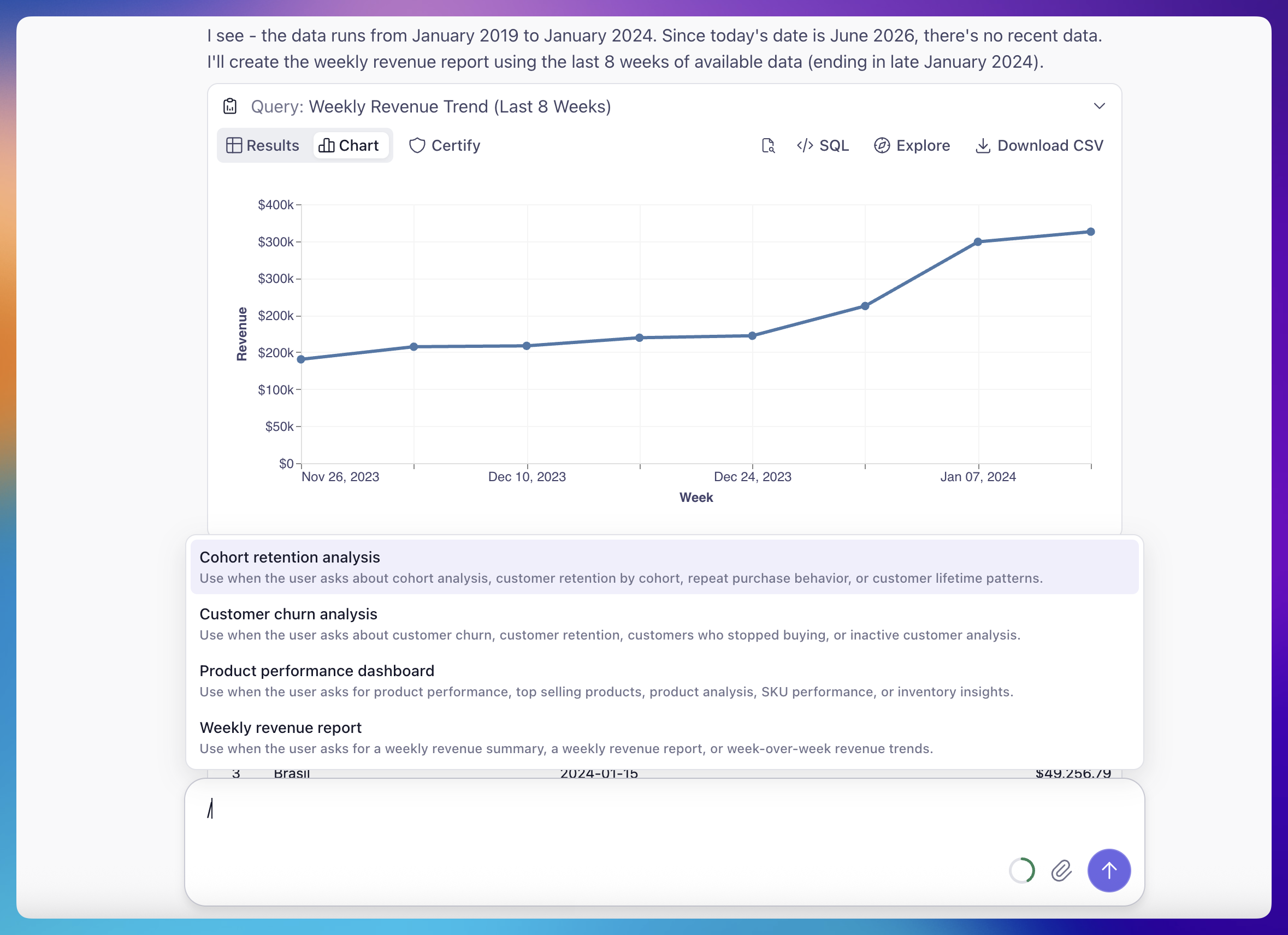
title. Click it and the workflow runs. - A slash menu. Type
/in the chat input to filter skills by title and description and pick one with the keyboard. When skills are available, the input hints "Type / for skills." - The agent picks it. When a user's plain-language request matches a skill's
description, the agent runs that skill on its own—no button, no slash. Skills work this way for both the agents you configure and the Auto agent that routes across them.
What's in v1, and what's next
This first release keeps the skill itself deliberately small: a title, a description, and an instruction body—no special syntax, no action API to learn. Every example above uses that same plain format. The only difference is what the agent does with it where it runs. That's enough to turn most repeated workflows into a shareable artifact.
What we left out is just as deliberate: per-skill data scoping, external actions that reach outside Cube (posting to Slack, hitting a webhook), parameterized inputs, and per-skill model selection. These are all directions we're looking at, but I'd rather ship the core well than ship parity with a feature list. If one of those would change how your team would use skills, tell us, and we'll weigh it for what comes next.
The bigger thing we're building toward is scheduled tasks. Today someone still has to reach for a skill—click the button, type the slash, ask the question. Pair a skill with a scheduled task and it runs on a set cadence without being asked, so the report someone produces every Monday is generated and waiting on Monday morning.
Get started
Cube Agent Skills are available now. If you're already on Cube, add a markdown file under agents/skills/ on a dev branch, commit it, and the button shows up in chat once it's deployed—start with a workflow your team already runs by hand. If you're new to Cube, request a demo and we'll walk you through the full Agentic Analytics workflow, skills included.