
Today we're launching Cube in ChatGPT. Install the Cube plugin, sign in, and ask about your data in plain words. ChatGPT answers with charts and dashboards built from your semantic layer, right in the conversation.
For a lot of people, ChatGPT is where the workday happens now. Opening a BI tool to check one number breaks that flow, so we brought Cube to where the question already is. Every answer comes from the same Cube you use today: one definition of revenue, and only the data you're allowed to see.
Ask a question, get a governed answer
Ask "chart average order value by state, top 10, highest first" and Cube answers with a chart and the numbers behind it. Each answer says what it covered, like which orders, which dates, and which currency, so you know exactly what you're looking at. Every number comes from a measure in your Cube data model, and queries run with your own Cube permissions, so ChatGPT only sees the rows you can see.
The whole Cube app, inside ChatGPT
Cube runs as a full app inside ChatGPT. Open the Workspace to browse your dashboards, workbooks, and explorations, or search for the one you need, and open it without leaving ChatGPT. Anything you open can join the conversation as context, so you can ask about exactly what's on screen.
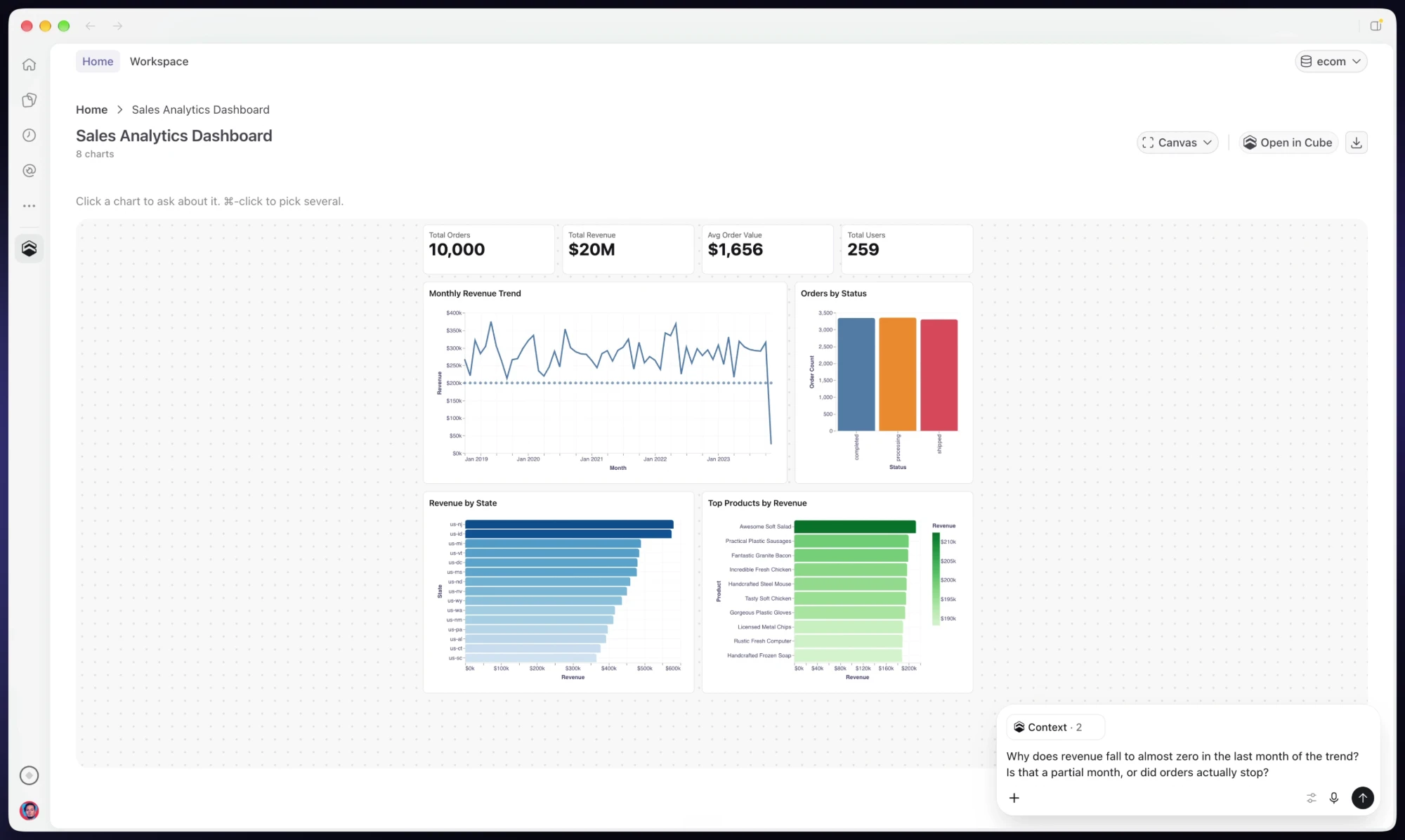
Ask for a sales dashboard and Cube builds one, from headline numbers to the monthly revenue trend and top products. In the example below, revenue falls to almost zero in the last month of the trend. Select that chart along with a related one, ask whether it's a partial month or orders actually stopped, and Cube answers with both charts in context.
Changes happen in the same place. Ask Cube to swap a chart type, add a breakdown, or drop a tile, and the edit shows up as a draft on the dashboard itself, ready for you to check and publish.
Add the metric that's missing
If the model has no measure for your question yet, Cube can add one on a development branch. You review the change in Cube, file by file, and merge it when it's right. The new metric then works everywhere Cube does, not only in this chat.
Take it anywhere
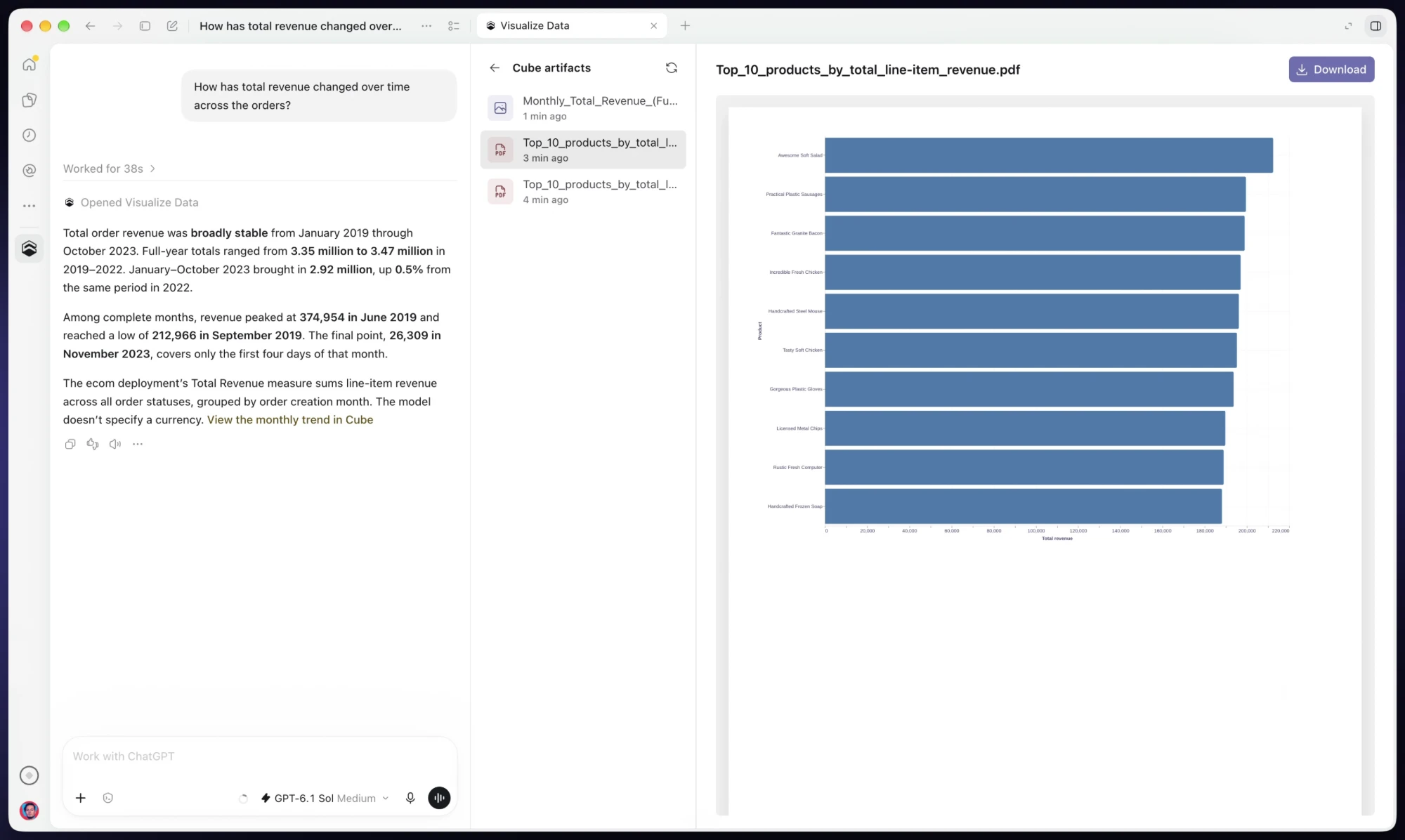
Open any chart full screen, download it as a PDF, or jump into Cube to keep working.
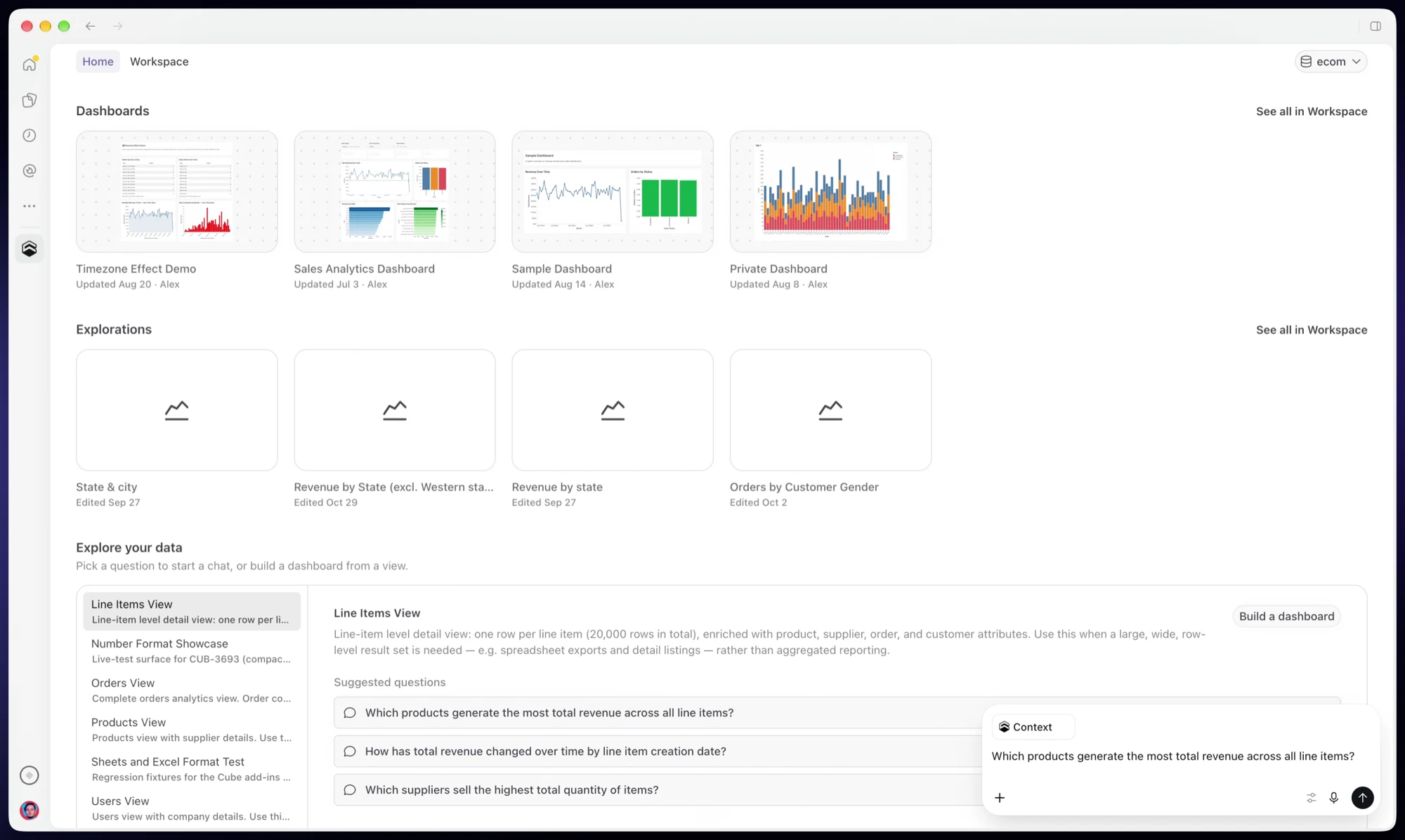
Cube Home in ChatGPT shows your published dashboards, recent explorations, and suggested questions for each view, so you can pick up where you left off.
Get started
Add the Cube plugin to ChatGPT and sign in with your Cube account. You can also search for Cube in the plugin directory, where it's listed as "Cube · Query governed business data". New to Cube? Sign up for Cube Cloud and connect your data first.